Cushy documentation
Cushy documentation: guides, tutorials and a complete API reference for the single-pane-of-glass console across AWS, GCP, Azure and Alibaba Cloud.
Cushy — a new way to live in the cloud. It is a single pane of glass for teams that run infrastructure across more than one cloud. It connects your AWS, GCP, Azure and Alibaba Cloud accounts read-only, keeps a live inventory of what you run, maps how your networks connect, tracks your spend, and gives your team role-based access to all of it — without asking anyone to juggle four consoles and four sets of credentials.
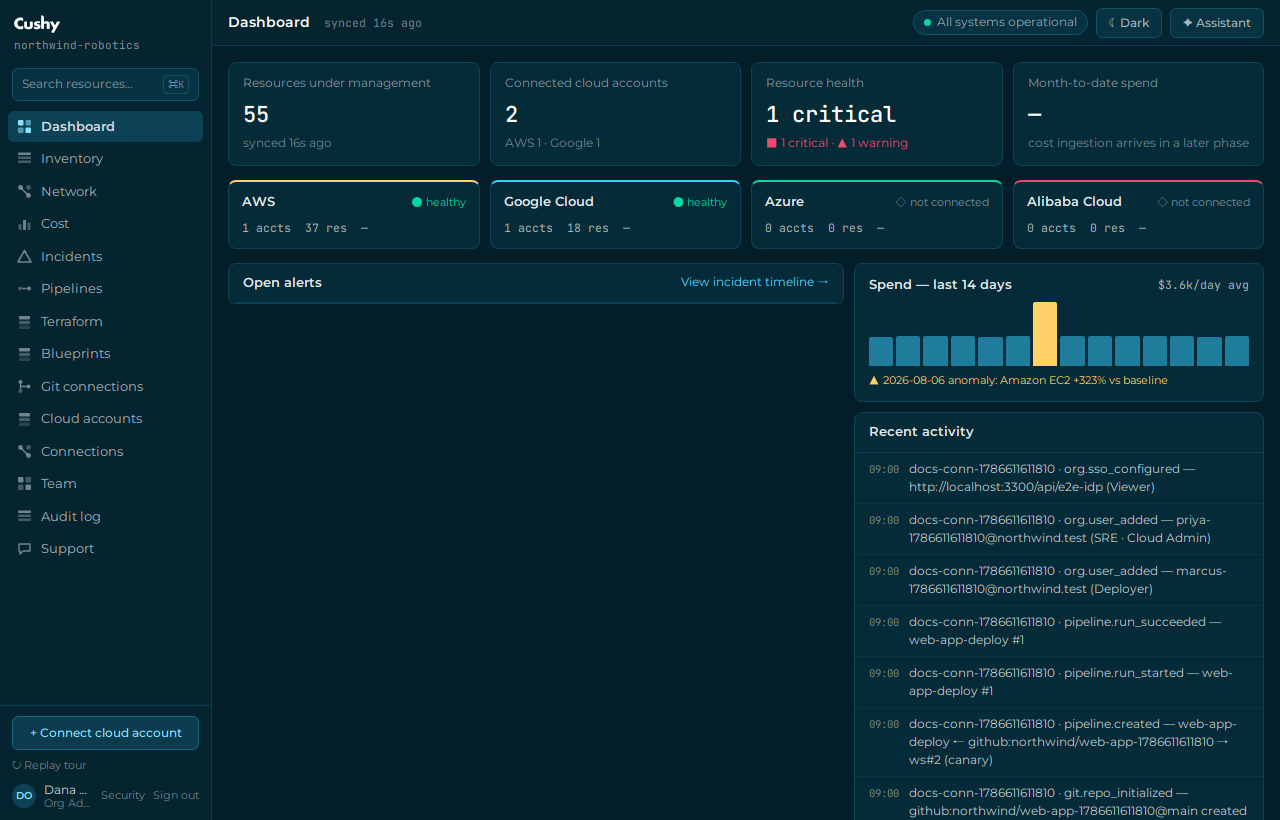
This documentation is task-oriented. If you are evaluating Cushy, start with What is Cushy and the 5-minute quickstart. If you are integrating, jump to the API reference. If you administer an organization, the Roles & permissions guide is the fastest way to get your team set up safely.
Cushy is built in rounds. Throughout these docs, features are labelled by how far they have shipped: real (fully implemented and verified) or on the roadmap (planned, not yet built). Inventory sync across all four clouds, RBAC, SSO (OIDC + SAML/SCIM), API tokens, the FinOps cost engine, monitoring, the Terraform execution engine (with an opt-in real OpenTofu runner), pipelines, Git connections, support and the AI assistant are real today; account vending and marketplace are on the roadmap — see Feature status & roadmap.
Start here
- What is Cushy — the product, who it is for, and how the pieces fit together.
- Core concepts — organizations, users and roles, cloud accounts, inventory, and the empty-to-real cutover in one page.
- Sign in — how to sign in, then register an organization and connect your first cloud account.
- 5-minute quickstart — register an organization, connect your first cloud, and watch inventory appear.
Build with the API
- API introduction — base URL, session vs. Bearer-token auth, the error shape, and the rules that keep the API enumeration-safe.
- Generate an API token and query resources — a copy-paste tutorial using real
curlagainst/api/cloud/resourcesand/api/finops/cost. - Cloud accounts API and Cost / FinOps API — the endpoints most integrations use first.
Operate your organization
- Roles & permissions — the full capability matrix from Viewer to Owner.
- Connect an AWS account and Connect a GCP account — cross-account roles and workload identity federation, no long-lived keys.
- Cost management & FinOps — FOCUS-normalized spend, budgets and anomaly detection.
- Security model — how sessions, MFA, secret storage and multi-tenant isolation work.