Single sign-on with OIDC
Configure bring-your-own OIDC single sign-on for your organization: issuer, client id and secret, default role, email domains, discovery, the login flow and JIT provisioning.
Cushy supports bring-your-own OIDC single sign-on. An org admin configures one OIDC identity provider for the organization; members then sign in with their work email and are redirected to your IdP. The whole SSO configuration surface is org-admin only.
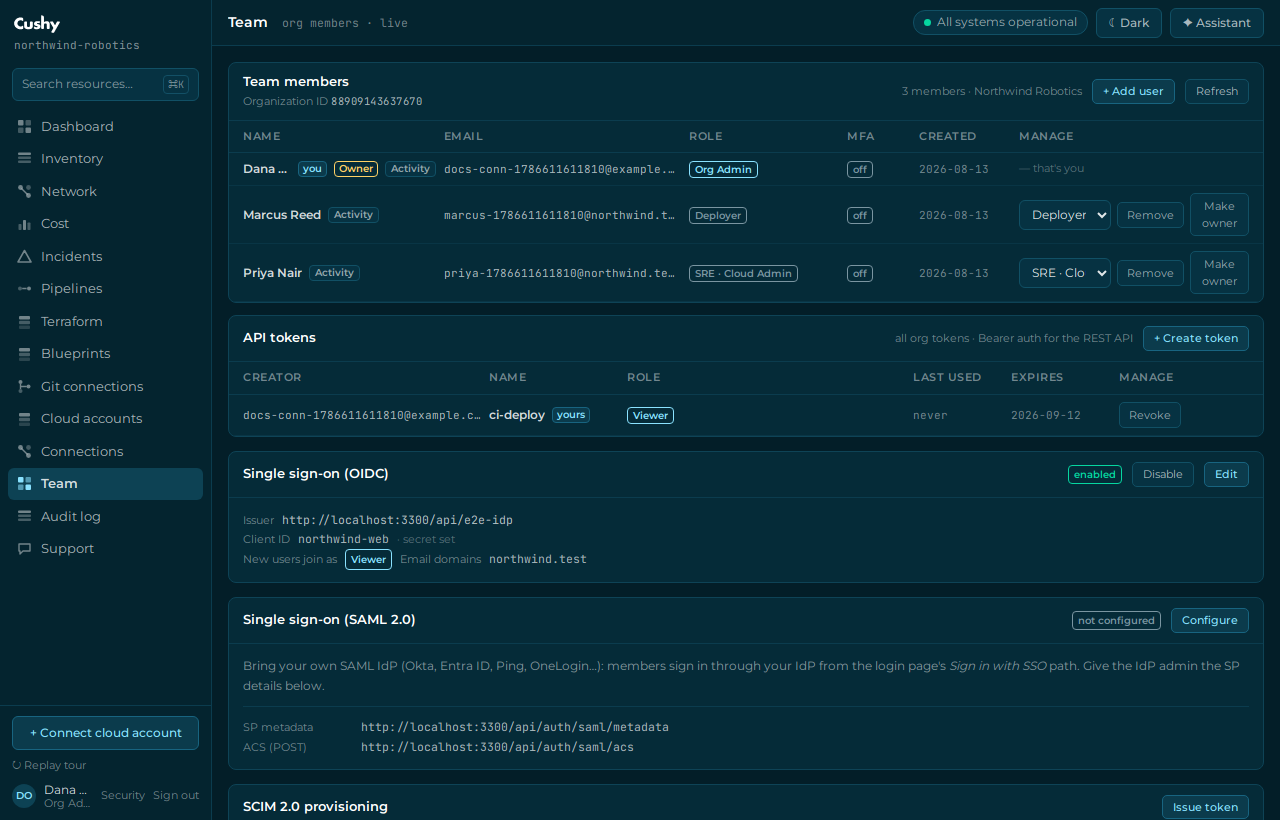
Configure your identity provider
Provide these fields to `POST /api/org/sso` (or the SSO section of the console):
| Field | Meaning |
|---|---|
issuer | Your IdP's issuer URL (must be https://). Cushy runs OIDC discovery against it. |
clientId | The OIDC client (application) id you registered for Cushy. |
clientSecret | The client secret. Sealed in an AES-256-GCM envelope and never returned. |
defaultRole | Role assigned to users provisioned on first login — one of Viewer, Deployer, SRE · Cloud Admin, Org Admin. |
emailDomains | Up to 20 email domains that route to this IdP (for example acme.io). |
On save, Cushy performs OIDC discovery against the issuer immediately and stores the resolved authorization, token and JWKS endpoints. A typo'd issuer fails at save time — not at your first user's sign-in. The redirect URI to register at your IdP is https://<your-console-host>/api/auth/oidc/callback.
The login flow
- Start
A user submits their work email (or your org slug) to `POST /api/auth/oidc/start`. Cushy matches the email domain (or slug) to an enabled SSO config and returns the IdP authorize URL.
- Authenticate at your IdP
The browser goes to your IdP with state, nonce and PKCE (S256) — all held server-side in a single-use record; only the state's hash is stored.
- Callback
Your IdP redirects back to
/api/auth/oidc/callback. Cushy exchanges the code, verifies the RS256 ID token against your JWKS, and checks state and nonce. - Provision and sign in
If the user is new, they are provisioned just-in-time with the organization's
defaultRole; then a session is issued.
Enable, disable and update
SSO is enabled on save. Toggle it later with `PATCH /api/org/sso` ({ enabled: true | false }). To rotate the secret, POST again with a new clientSecret; leave the secret blank to keep the existing envelope while changing other fields. Configuration changes are audited as org.sso_configured, org.sso_enabled and org.sso_disabled.
The client secret is encrypted with AES-256-GCM before it is stored and is never returned by any API — responses only report whether one is set.
Roadmap
OIDC BYO-IdP and SAML 2.0 + SCIM 2.0 provisioning with IdP group-to-role mapping are real today — see SAML SSO & SCIM provisioning.